An inbox that understands your priorities
Describe a category in your own words. AI helps turn it into a classification rule and applies the matching Gmail label to new messages.

Say goodbye to manual sorting and repetitive replies. MailSentinel brings intelligent organisation, thoughtful automation, and evidence-based phishing review to your Gmail inbox.
One connected inbox. Less busywork. More clarity.
A PLACE FOR EVERY MESSAGE
Job opportunities, meeting requests, invoices, and more. Your custom categories become colour-coded Gmail labels, so you can spot what matters at a glance.
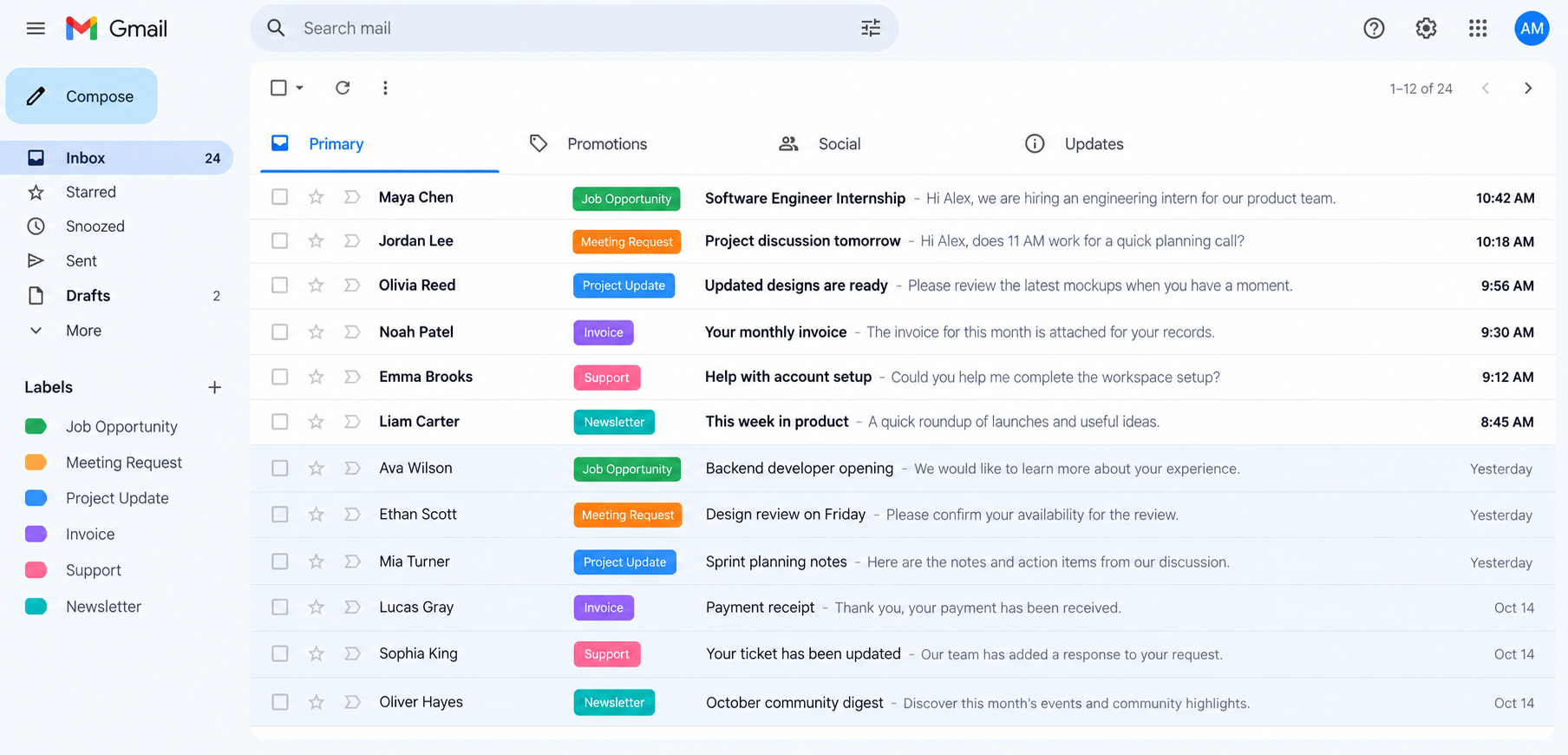
Practical tools to keep your inbox organised and make suspicious messages easier to understand.
Describe a category in your own words. AI helps turn it into a classification rule and applies the matching Gmail label to new messages.
PhishTrace combines local checks with AI interpretation, with excerpts that show why a message needs review.
Choose an automatic response or save a draft for each category. Keep repetitive replies out of your way.
Manage labels, trusted organisations, and approved domains in one place. Enable PhishTrace only after reviewing how your content is processed.
From connecting your account to understanding the next message. Three steps, one workspace.
Sign in through Google OAuth. Existing unread mail is checkpointed, so the workflow starts with new incoming messages.
Create categories and choose replies or drafts. Add trusted organisations and enable PhishTrace when you are ready.
Review labels, response activity, and PhishTrace evidence in your dashboard. Incomplete assessments stay clearly marked.
Want to see it in action? Explore PhishTrace
MailSentinel is a Gmail workspace for categorising new incoming mail, applying custom labels, and sending configured replies or saving drafts. PhishTrace adds advisory phishing findings alongside those categories.
Local checks compare sender addresses, displayed links, and configured domains. A bounded AI assessment interprets requests for credentials, payment changes, and pressure to take risky actions. Every accepted AI finding cites an exact excerpt from the message.
No. No major indicators found means the supported checks completed without a major finding. It is not a safety guarantee. Missing content, unsupported attachments, and unavailable AI are shown as coverage gaps.
When you enable PhishTrace, bounded email text and relevant headers and link text are sent to your selected model provider. OAuth tokens, session secrets, and attachment contents are excluded. Evidence excerpts are stored with your account's email log.
Response behaviour follows your category settings. A category can send its configured reply or save a draft. PhishTrace is advisory and does not block those actions. Existing unread mail is checkpointed on first connection rather than automatically processed.
Let your inbox do more of the routine work. Organise new messages, choose how to respond, and review the evidence behind suspicious email.